What the cartridges should look like
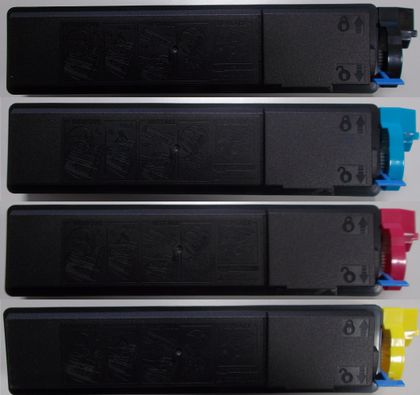
Compatible Kyocera TK-510 (Front View)
|
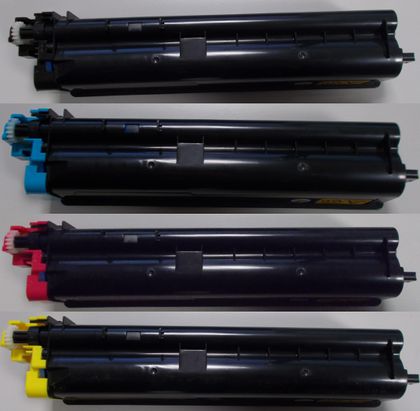
Compatible Kyocera TK-510 (Back View)
|
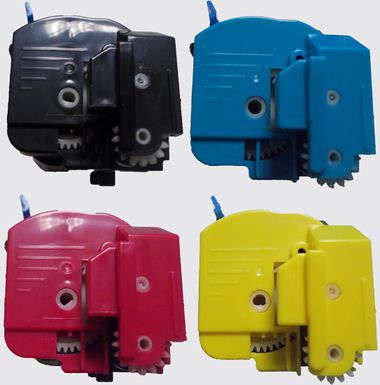
Compatible Kyocera TK-510 (Side View)
|
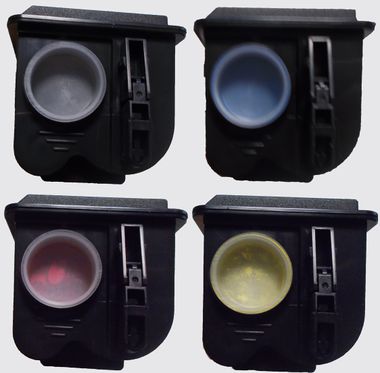
Compatible Kyocera TK-510 (Other Side View)
|
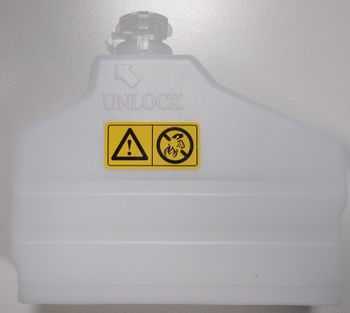
Compatible Kyocera TK-510 (Waste Toner Bottle)
|
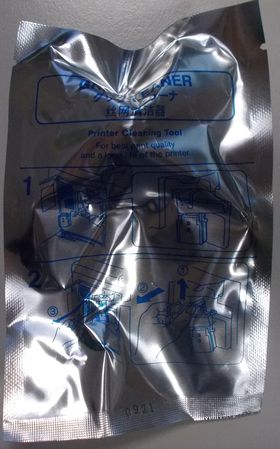
Compatible Kyocera TK-510 (Grip Cleaner)
|
Installation Instructions
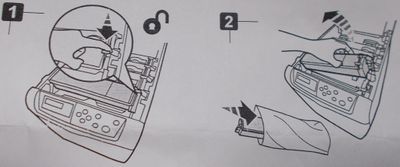
Compatible Kyocera TK-510 (Installation Instructions 1)
|
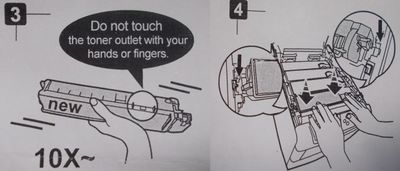
Compatible Kyocera TK-510 (Installation Instructions 2)
|
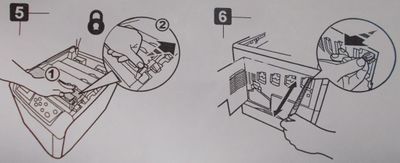
Compatible Kyocera TK-510 (Installation Instructions 3)
|
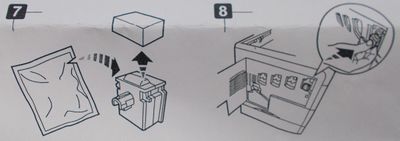
Compatible Kyocera TK-510 (Installation Instructions 4)
|
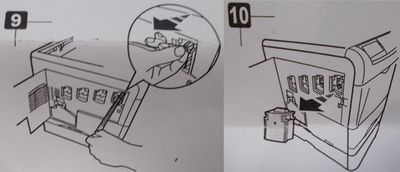
Compatible Kyocera TK-510 (Installation Instructions 5)
|
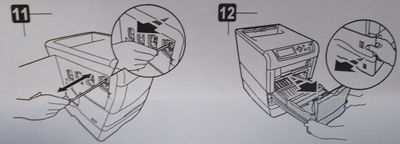
Compatible Kyocera TK-510 (Installation Instructions 6)
|
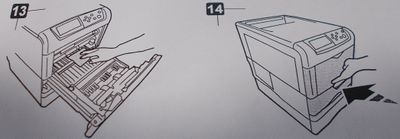
Compatible Kyocera TK-510 (Installation Instructions 7)
|
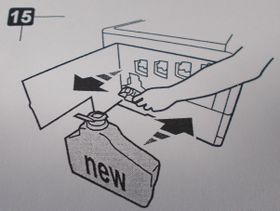
Compatible Kyocera TK-510 (Installation Instructions 8)
|
Problems you might encounter
Problem: Faded Output
Printouts are coming out faded.
Resolution
- If the print quality is poor, remove the toner cartridge from the printer and gently rock the cartridge from side to side.
- This movement helps distribute to the toner evenly within the cartridge.
- After rocking the cartridge 5-6 times, re-insert the cartridge into the printer and print a test page.
-
- All trademarks, photos and logos included on this information sheet are the property of their respective owners.
Brand names and trademarks are the property of their respective holders and are used for description purposes only.