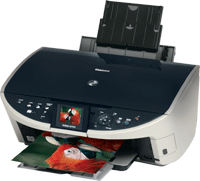
MP500
Use the video below to see what the cartridges look like and how to install them. Please note, the video shows the Canon 570/571 range; the steps are the same for the cartridges for your printer. The appearance of compatible cartridges may vary.
Cartridge is reporting that it's empty
- The cartridge installed is producing an error message saying that the cartridge is empty and is preventing printing.
- Send a document to print.
- Once the error message appears, press continue to clear it.
- If the printer is unresponsive, hold down the stop/cancel button on the printer for 3-5 seconds.
- Resend the document to print.
Cartridge missing or damaged
- Remove the faulty cartridge from the printer.
- Make sure all the packaging clips and blue tape covering the copper part of the cartridge has been removed from the cartridge.
- Clean the contacts with a dry cloth or tissue.
- Pull the power cable out the back of the printer and leave the printer off for 15 minutes.
Cartridge doesn't "light up"
- The lighting of the cartridge has been patented by Canon, to prevent compatible manufacturers being able to offer this feature to their customers.
- This is normal and does not affect printing.
Not recognised
- Make sure the cartridge is securely clipped in and the printers cover is closed.
- Check the status monitor, either on the printers control panel, or on the computer.
- Remember, the compatible cartridge does not light up to avoid patents.
- If the fault persists, remove the cartridge carefully to check the chip has not been dislodged.
- Reinstall the cartridge.
- If the fault persists, replace the cartridge.
Leaking ink
- If ink is dripping after removing the orange clip, the internal foam may be out of position.
- Blot the exit hole gently with tissue paper to help stop the leak.
Ink on orange clip
- It is normal to see ink on the orange clip after removal.
- This does not indicate that the cartridge is leaking.
Printing blank pages / fading on print
- If the print quality is poor or no ink is appearing on the paper, try performing 2–3 head cleans/nozzle cleans.
- Leave 20 minutes between each cleaning cycle.
- If the issue persists, switch off the printer and unplug it for 10 minutes.
- Re-install the cartridge and try printing again.
Printers that use Canon PGI-5 / CLI-8 cartridges
Printer Consumables (Canon PGI-5 / CLI-8)
| 0628B025AA | CLI-8C | CLI-8C-CPT | CLI-8CMY-OLD |
| CLI-8CMY-CPX | CLI-8M | CLI-8M-CPT | CLI-8Y |
| CLI-8Y-CPT | PGI-5BK | PGI-5BK-CPT | CLI-8CMY |
Brand names and trademarks are the property of their respective holders and are used for description purposes only.