iP2500
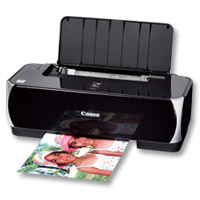
Compatible Canon PG-40 & CL-41
|
This image shows the front of the cartridges.
|
|
|
|
The back of the cartridges can be seen in this
image.
|
|
|
|
This image shows the left side of the cartridges.
Remove the pull tab before installing.
|
|
|
|
This image shows the right side of the cartridges.
|
|
|
Cartridge not compatible / Cartridge not recognised
- The compatible cartridge has been installed correctly but the printer is not registering it as installed or states it is not compatible.
- Remove the affected cartridge/cartridges from the printer.
- Turn the printer off and wait for 2 minutes.
- Turn your printer back on and wait for a further 2 minutes.
- Once the printer warns that certain cartridge/cartridges are missing, re-install them one at a time.
Ink in the cartridge, but not printing
- The cartridge may show as empty or produce faded print despite ink remaining.
- Printing stops once the cartridge reaches around 30% remaining ink, which is kept as a reserve.
- This reserve cannot be accessed and is used to keep the internal sponge moist and protect the printhead.
- This is normal behaviour and not a fault.
- The cartridge will need to be replaced.
Printers that use Canon PG-40 / CL-41 cartridges
To see a full list of products that work in your printer, click on the model name below:
Printer Consumables (Canon PG-40 / CL-41)
| 0615B036AA | 0615B036AA-OLD | 0615B036AA-RET | CL-41 |
| CL-41-RET | CL-51 | CL-51-RET | PG-40 |
| PG-40-RET | PG-50 | PG-50-RET | PG40-CL41-3PACK |
| PG40-CL41-3PACK-RET | PG50-CL51-PACK | PG50-CL51-PACK-OLD-RET | PG50-CL51-PACK-RET |
Brand names and trademarks are the property of their respective holders and are used for description purposes only.
Brand names and trademarks are the property of their respective holders and are used for description purposes only.