MP160
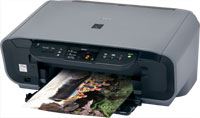
Compatible Canon PG-40 & CL-41
|
This image shows the front of the cartridges.
|
|
|
|
The back of the cartridges can be seen in this
image.
|
|
|
|
This image shows the left side of the cartridges.
Remove the pull tab before installing.
|
|
|
|
This image shows the right side of the cartridges.
|
|
|
Cartridge not compatible / Cartridge not recognised
- The compatible cartridge has been installed correctly but the printer is not registering it as installed or states it is not compatible.
- Remove the affected cartridge/cartridges from the printer.
- Turn the printer off and wait for 2 minutes.
- Turn your printer back on and wait for a further 2 minutes.
- Once the printer warns that certain cartridge/cartridges are missing, re-install them one at a time.
Ink in the cartridge, but not printing
- The cartridge may show as empty or produce faded print despite ink remaining.
- Printing stops once the cartridge reaches around 30% remaining ink, which is kept as a reserve.
- This reserve cannot be accessed and is used to keep the internal sponge moist and protect the printhead.
- This is normal behaviour and not a fault.
- The cartridge will need to be replaced.
Printers that use Canon PG-40 / CL-41 cartridges
To see a full list of products that work in your printer, click on the model name below:
Printer Consumables (Canon PG-40 / CL-41)
| 0615B036AA | 0615B036AA-OLD | 0615B036AA-RET | CL-41 |
| CL-41-RET | CL-51 | CL-51-RET | PG-40 |
| PG-40-RET | PG-50 | PG-50-RET | PG40-CL41-3PACK |
| PG40-CL41-3PACK-RET | PG50-CL51-PACK | PG50-CL51-PACK-OLD-RET | PG50-CL51-PACK-RET |
Brand names and trademarks are the property of their respective holders and are used for description purposes only.