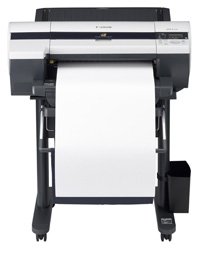
iPF510
Compatible Canon PFI-102 Cartridges
|
This image shows the front of the cartridges,
match
the
colour with the slot on the printer. The small
label
displays the batch code.
|
|
|
|
The back of the cartridges can be seen here.
|
|
|
|
This image shows top of the cartridges.
|
|
|
|
The bottom of the cartridges can be seen in this
image,
ensure the clip is clear of impurities before
installation.
|
|
|
No Ink Tank Loaded
- Remove the affected cartridge from the printer.
- Clean the chip to ensure it is free from any impurities.
- Re-install the cartridge.
Ink in the cartridge, but not printing
- The cartridge may show as empty or produce faded print despite ink remaining.
- Printing stops once the cartridge reaches around 30% remaining ink, which is kept as a reserve.
- This reserve cannot be accessed and is used to keep the internal sponge moist and protect the printhead.
- This is normal behaviour and not a fault.
- The cartridge will need to be replaced.
Printers that use Canon PFI-102 cartridges
To see a full list of products that work in your printer, click on the model name below:
Printer Consumables (Canon PFI-102)
| 0894B001AA | 0894B001AA-CPT | 0895B001AA | 0895B001AA-CPT |
| 0896B001AA | 0896B001AA-CPT | 0897B001AA | 0897B001AA-CPT |
| 0898B001AA | 0898B001AA-CPT | 1320B003AA | PFI-102-PACK |
| PFI-102-PACK-CPT | PFI-102-PACK2 | PFI-102-PACK2-CPT | PF-03 |
Brand names and trademarks are the property of their respective holders and are used for description purposes only.
Brand names and trademarks are the property of their respective holders and are used for description purposes only.