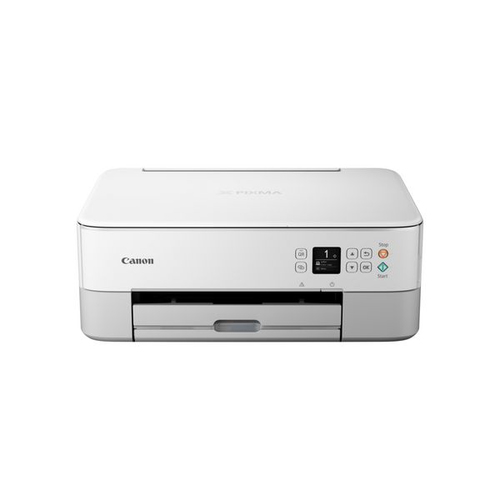
TS5351a
The video below shows what the compatible PG-560XL /CL-561XL cartridges look like for this printer
Cartridge not compatible / Cartridge not recognised
- The compatible cartridge has been installed correctly but the printer is not registering it as installed or states it is not compatible.
- Remove the affected cartridge/cartridges from the printer.
- Turn the printer off and wait for 2 minutes.
- Turn your printer back on and wait for a further 2 minutes.
- Once the printer warns that certain cartridge/cartridges are missing, re-install them one at a time.
Cartridge not recognised
- Make sure all of the tabs have been removed from the cartridge. This includes the one which covers the printhead.
- If tabs have been removed, perform the usual troubleshooting:
- Wipe the chip with a dry cloth.
- Unplug the printer and wait for 10 minutes.
- Re-install the cartridge.
- If the error still shows, try removing and re-installing the cartridge 1-2 times.
Ink in the cartridge, but not printing
- The cartridge may show as empty or produce faded print despite ink remaining.
- Printing stops once the cartridge reaches around 30% remaining ink, which is kept as a reserve.
- This reserve cannot be accessed and is used to keep the internal sponge moist and protect the printhead.
- This is normal behaviour and not a fault.
- The cartridge will need to be replaced.
Printers that use Canon PG-560 / CL-561 cartridges
Printer Consumables (Canon PG-560 / CL-561)
| 3713C006-OLD | PG-560 | CL-561 | 3712C004 |
| PG-560XL | CL-561XL | PG560XL-CL561XL | 3713C006 |
| 3712C004-OLD2 | CL-561XL-REM | PG-560XL-REM | PG560XL-CL561XL-REM |
| 3713C007 | 3712C009 | 3712C012 |
Brand names and trademarks are the property of their respective holders and are used for description purposes only.