P1104
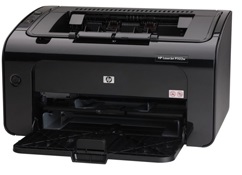
Compatible HP 85A Toner
|
This image shows the front of the cartridge,
the product
code is displayed on the label on the left.
|
|
|
|
The back of the cartridge can be seen in
this
image,
remove the tab before installation.
|
|
|
|
The left side of the cartridge is seen in this image.
|
|
|
|
This image shows the right side of the cartridge,
the
handle can be used to help when installing
the
cartridge.
|
|
|
Printouts have lines on the page, Vertical or Horizontal
- Remove and re-insert the cartridge.
- Check the drum (roller Green or blue) for defects, being careful not to touch this part.
- Clean the drum with a dry lint-free cloth.
- Clean the contacts on the cartridge.
- Print 5–10 pages to remove potential foreign material under the wiper blade.
- If the problem persists, install a new cartridge.
Faded Print
Resolution 1
- If the whole page is light, the print density adjustment may be too low or EconoMode might be turned on.
- Adjust the print density and disable EconoMode in the printer driver.
- At the product control panel, select the CONFIGURE DEVICE menu, then select the PRINT QUALITY submenu (EconoMode is off by default).
- In the embedded Web server, open the Settings tab and select Configure Device, then navigate to the Print Quality submenu.
- In the HP Printer Utility for Macintosh, click Configuration Settings, then click Economode & Toner Density.
- In the Windows PCL printer driver, open the Paper/Quality tab and select the EconoMode option.
Resolution 2
- If the print quality is poor, remove the toner cartridge from the printer and gently rock the cartridge from side to side.
- This movement helps distribute the toner evenly within the cartridge.
- After rocking the cartridge 5–6 times, re-insert the cartridge into the printer and print a test page.
Faint Characters on Printouts
- Print 15–20 pages and see if the problem persists.
Printers that use HP 85A cartridges
To see a full list of products that work in your printer, click on the model name below:
Printer Consumables (HP 85A)
| CE285A | CE285A-REM | CE285AD | CE285AD-REM |
Brand names and trademarks are the property of their respective holders and are used for description purposes only.
Brand names and trademarks are the property of their respective holders and are used for description purposes only.