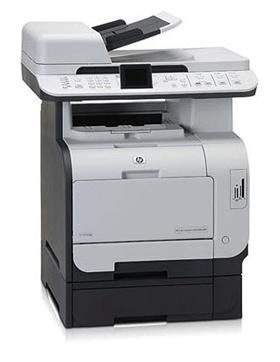
CM2320
Remove Shipping Lock Error
- Resolution 1
- Remove the cartridge from the printer and locate the shipping lock lever arm mechanism (fig. 1).
- Holding the cartridge in the upright position, push the white lever forwards. This should lift the black lever (fig. 2).
- If the mechanism does not operate smoothly or is stuck, this is likely the cause of the error.
- If the mechanism is not operating smoothly, wiggle the white arm slightly and try again.
- If this does not help, tap the cartridge and vacuum or blow air into the mechanism to free any small amounts of toner lodged inside.
-
-
- Resolution 2
- Turn the printer off using the power button.
- Swap the affected cartridge with another colour toner cartridge in the printer. For example, if the cyan cartridge was affected, place it in the magenta slot and move the magenta cartridge into the cyan slot.
- Close the door and allow the printer to initialise.
- After a long initialisation, the printer will report the error "Supplies in wrong positions."
- Power off the printer and swap the two cartridges back to their original positions.
- Close the door and turn the printer back on.
- The machine should initialise and return to Ready mode.
My prints are faded
- If the print quality is poor, remove the toner cartridge from the printer and gently rock the cartridge from side to side.
- This movement helps distribute the toner evenly within the cartridge.
- After rocking the cartridge 5–6 times, re-insert the cartridge into the printer and print a test page.
- If the issue persists, check the life of the maintenance items in your machine in case any of them need to be replaced.
Printouts are coming out with lines down the page
- It could be that there is toner on the photosensitive drum.
- Try printing 5–10 pages to see if this removes the lines.
Printers that use HP 304A cartridges
To see a full list of products that work in your printer, click on the model name below:
| Colour LaserJet CP2025 | Colour LaserJet CM2320 | Colour LaserJet CP2025dn |
| Colour LaserJet CP2025n | Colour LaserJet CM2320fxi | Colour LaserJet CM2320nf |
| Colour LaserJet CP2020 | Colour LaserJet CM2320n |
Printer Consumables (HP 304A)
| CC530A | CC530A-REM | CC530AD | CC530AD-REM |
| CC530AD-OLD2 | CC531A | CC531A-REM | CC532A |
| CC532A-REM | CC533A | CC533A-REM | CC53-PACK |
| CC53-PACK-REM | CC53-5PACK | CC53-5PACK-REM | CF372AM |
| CF372AM-OLD | CF372AM-RET | RM1-4852 | RM1-6739 |
| RM2-0192-000CN |
Brand names and trademarks are the property of their respective holders and are used for description purposes only.