M521dne
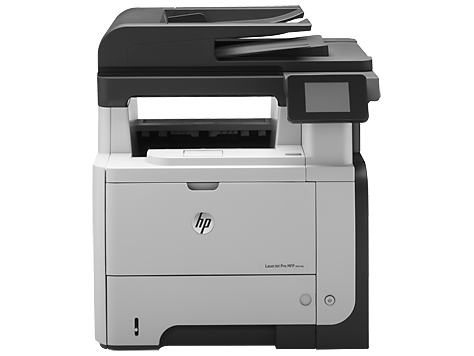
Compatible HP 55A Toners
|
This image shows the front of the cartridge,
the product
code can be seen on this label.
|
|
|
|
The back of the cartridge can be seen in
this
image,
the batch code is displayed on this smaller
label.
|
|
|
|
This image shows the left side of the cartridge,
remove
the plastic yellow tab before installing.
|
|
|
|
The right side of the cartridge can be seen
in
this image,
the black card must also be removed before
installation.
|
|
|
Printouts appear streaky or have marks on them
Print a cleaning page to help resolve print defects:
- Press the Menu button.
- Press the up arrow or down arrow to highlight the CONFIGURE DEVICE menu, and then press the OK button.
- Press the up arrow or down arrow to highlight the PRINT QUALITY menu, and then press the OK button.
- If the product does not have automatic two-sided printing, highlight CREATE CLEANING PAGE and press OK. If the product has automatic two-sided printing, skip to the next step.
- Highlight PROCESS CLEANING PAGE and press OK. The cleaning process takes several minutes.
- Discard the printed page.
My prints are faded
- If the print quality is poor, remove the toner cartridge from the printer and gently rock the cartridge from side to side.
- This movement helps distribute the toner evenly within the cartridge.
- After rocking the cartridge 5–6 times, re-insert the cartridge into the printer and print a test page.
- If the issue persists, check the life of the maintenance items in your machine in case any of them need to be replaced.
Faint characters on printouts
- Print 15–20 pages and check to see if the problem persists.
Printers that use HP 55A / 55X cartridges
To see a full list of products that work in your printer, click on the model name below:
Printer Consumables
| CE255A | CE255A-REM | CE255X | CE255X-REX |
| CE255XD | CE255XD-REX | RM1-6319-000CN | CE525-67902 |
Brand names and trademarks are the property of their respective holders and are used for description purposes only.hp
Brand names and trademarks are the property of their respective holders and are used for description purposes only.